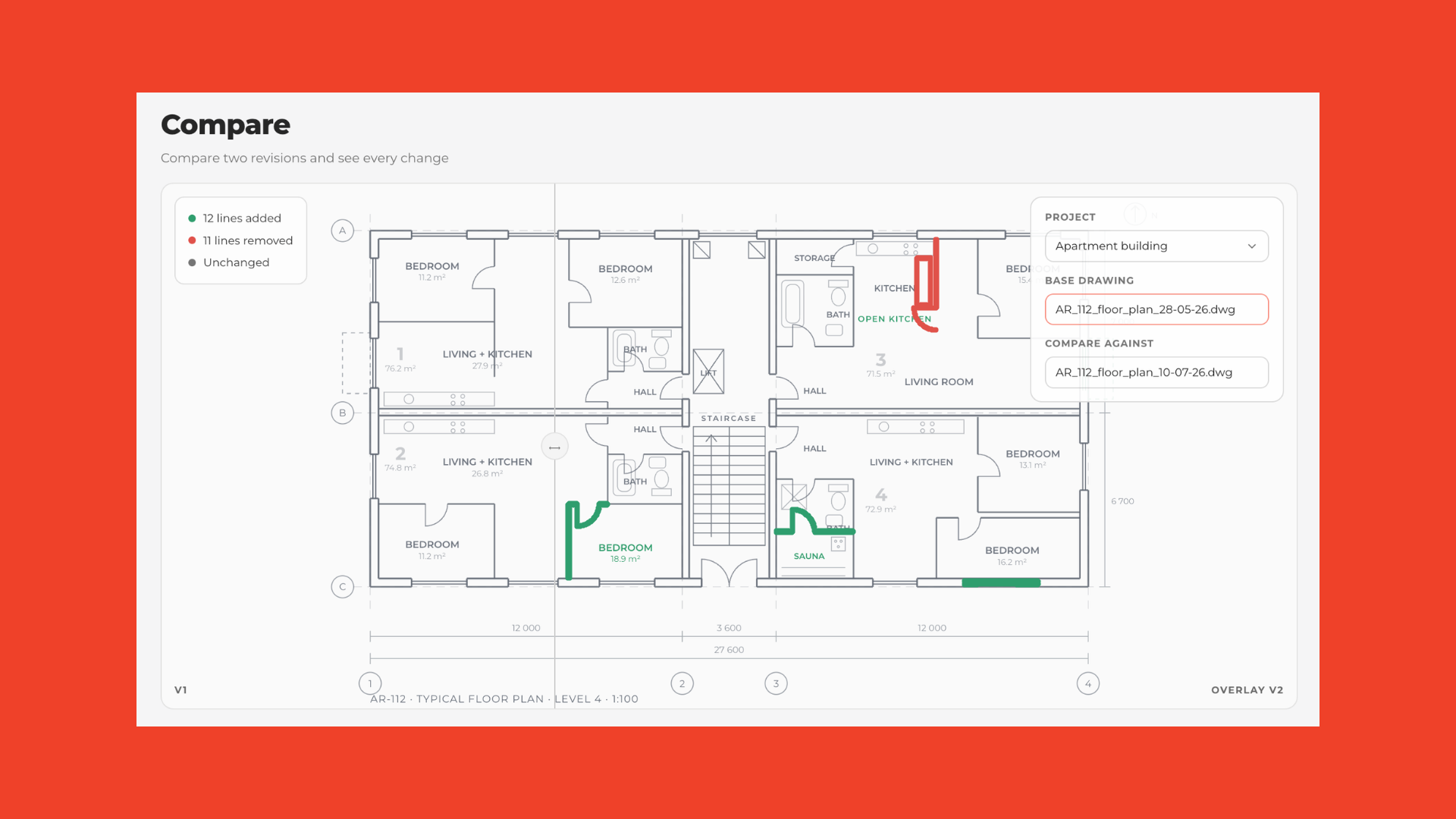
Compare two versions of a drawing
Choose two versions of the same drawing. Franklin aligns them automatically, no scaling or manual copying needed. It finds and points out every element that was added or removed.

Changes are grouped by layer and element type, so you see what changed and where — not only that something moved. It works with DWG and DXF files from AutoCAD, ArchiCAD or elsewhere.
Compare two versions of a model
The same logic applies to IFC models. Franklin shows what differs between two BIM versions without making you rotate models side by side and decide by eye.
That means an interdisciplinary conflict is recorded while it is still in the model — not once it has already reached the construction site.

Ask your project questions
Once documents are labelled, they become searchable in natural language. Ask a question and get an answer from the project's own files — with the source one click away.
The same applies to questions such as “Who approved the building's net area?”, “Where is the latest fire-safety certificate?” or “What is still missing for the occupancy permit?” The difference between a search and an answer is simple: you do not get ten files to read, but the answer and the place it came from.

Keep the whole team's issues in one list
Raise an issue where the work happens and link it to the drawing, model or file it concerns. The project list keeps status, discipline, owner, due date, discussion and source documents together.

Sort by discipline, owner, due date or status. Each row opens the exact place in the drawing or model where the comment was made — the same zoom, layers and version. The conversation stays anchored to the drawing, not someone's memory.
Let the documents organise themselves - this is how you create a usable building archive
The problem is not storing files, but finding the right one. Drop in drawings, models, contracts and reports — Franklin reads each file and labels it by category, discipline and stage. A new version is recognised and added to the document's existing history; the valid version is always marked.
The whole project sits on one timeline — uploads, new versions, signatures and comments — and signing can be sent from the same place where the file lives.